
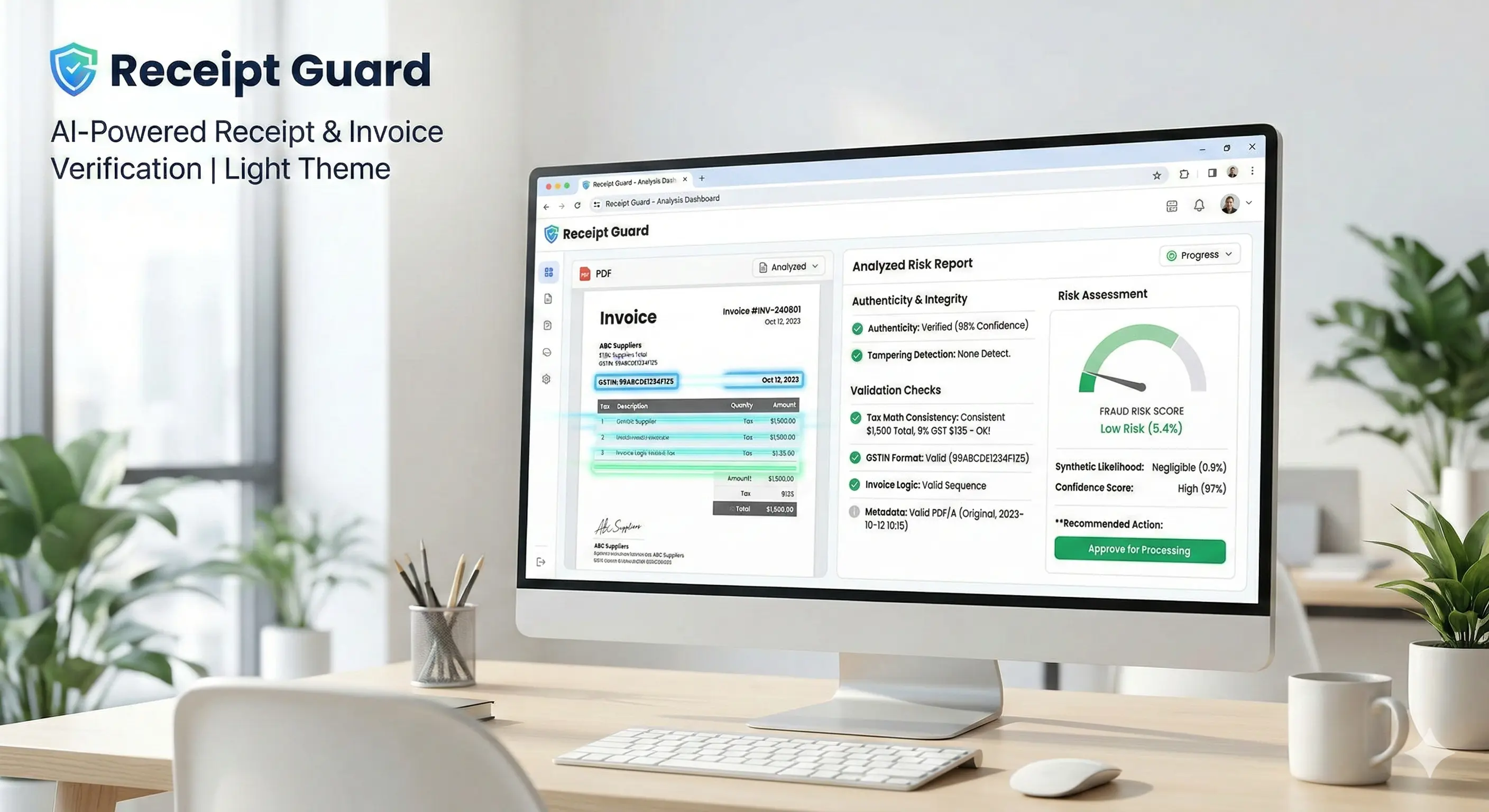
Receipt Guard
Upload receipt or invoice PDFs and automatically analyze them for authenticity, tampering, and fraud risk. The workflow performs structured financial validation including tax math consistency checks, GSTIN format verification, invoice logic analysis, and metadata inspection.
A hybrid rule engine and AI reasoning layer generate a standardized risk report with confidence scoring, synthetic likelihood assessment, and recommended action for operational decision-making.
Overview
Upload receipt PDFs and detect tampering, tax inconsistencies, and synthetic document risks using hybrid AI and rule-based analysis.
Upload receipt or invoice PDFs and automatically analyze them for authenticity, tampering, and fraud risk. The workflow performs structured financial validation including tax math consistency checks, GSTIN format verification, invoice logic analysis, and metadata inspection. A hybrid rule engine and AI reasoning layer generate a standardized risk report with confidence scoring, synthetic likelihood assessment, and recommended action for operational decision-making.
Ideal for
- Auditing employee expense reports for fraudulent claims
- Verifying vendor invoices before approving accounts payable
- Automating compliance checks for tax math and GSTIN formats
- Detecting highly sophisticated synthetic or digitally altered documents
- Streamlining financial operations by reducing manual receipt reviews
Key capabilities
Tampering & Forgery Detection
Identifies digital modifications, synthetic document generation, and metadata inconsistencies in uploaded receipts to prevent fraud.
Structured Financial Validation
Automatically recalculates and verifies invoice logic, ensuring that line-item totals and overall tax math are perfectly consistent.
GSTIN & Tax Format Verification
Cross-checks tax identification numbers against standard regulatory formats and validates corresponding tax logic.
AI-Powered Risk Scoring
Utilizes a hybrid rule engine and AI reasoning to generate standardized risk reports, complete with confidence scoring and recommended actions.
Benefits
- Reduces direct financial losses from fake, duplicate, or altered invoices
- Saves thousands of hours by automating manual math and format checks
- Provides clear, data-driven confidence scores for operational decision-making
- Increases overall accuracy and compliance in accounts payable processes
- Scales easily to handle high volumes of financial documents securely
How it works
Upload Receipt or Invoice
Submit your financial document (PDF). Ensure the file is clear and readable for the best extraction results.
Data Extraction & Parsing
Our AI extracts all relevant text, metadata, line items, tax details, and financial figures from the document.
- Advanced OCR Engine
- Metadata Extractor
Validation & Fraud Analysis
The hybrid reasoning layer checks mathematical consistency, verifies tax formats (e.g., GSTIN), and scans for signs of digital tampering.
- Math consistency check
- Synthetic generation detection
- Invoice logic analysis
Review Risk Report
Receive a standardized, actionable risk report outlining the document's authenticity, confidence score, and operational recommendations.
- Downloadable PDF
- Web dashboard view
- JSON data output
Expected outputs
Receipt Risk & Authenticity Report
Format: PDF/HTML/JSONA comprehensive breakdown of the invoice's validity, including tampering likelihood, math checks, and an overall risk score.
What's Inside:
Features
Security
Encryption
AES-256
Customization
Risk Threshold
Choose the sensitivity level for flagging documents
Technical details
AI Models
Computer Vision OCR Engine, Hybrid Rule-Based Math Engine, Fraud Detection Reasoning LLM
Processing Capacity
- maxDocumentSize: 10MB
- maxTotalSize: 50MB
- concurrentJobs: 20
- averageProcessingTime: 20-30 seconds
Data Retention
- resultStorage: 30 days (if user opts in)
- documentStorage: Encrypted (AES-256), deleted immediately after processing
- exportAvailability: Unlimited
Versioning
- Version: 1.0.0
- Last update: 2025-05-26
Support
Frequently Asked Questions
What can I upload?
Receipt or invoice PDFs.
What does it check?
Tampering, GSTIN format, and tax-math consistency.